
Prompt Libraries Are a Participation Trophy for AI Productivity
Build 5 actual skills instead. Here’s the walkthrough.

Somewhere on your hard drive (or in your Google Drive, or in a Notion workspace you haven’t opened since the enthusiasm wore off) there’s a document full of AI prompts.
You know the one.
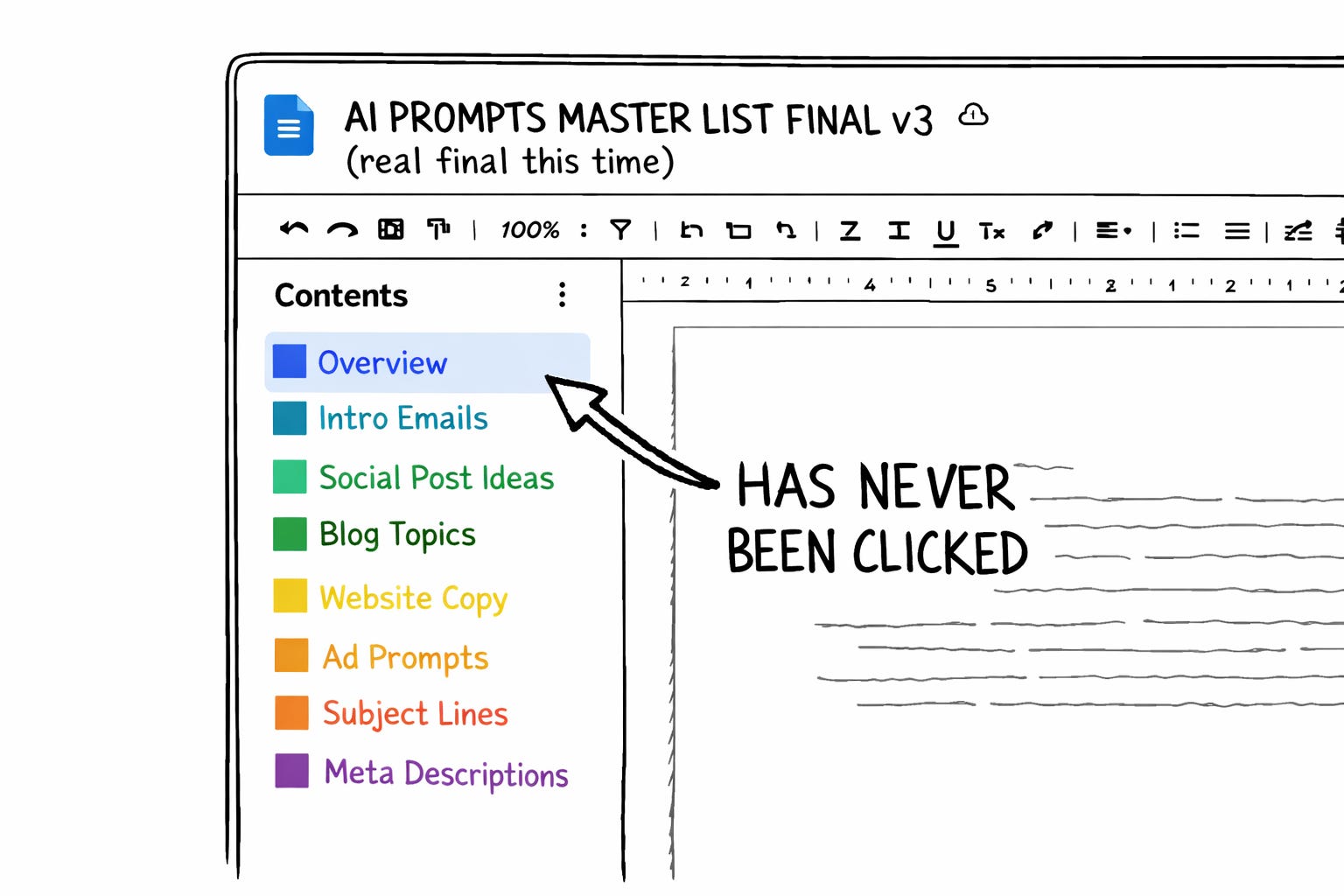
It has sections. Maybe color-coding. Definitely more than one font weight. There’s a table of contents that seemed like a good idea at the time and has never been clicked by anyone, including you. There’s at least one section still labeled with a product name that doesn’t exist anymore (if you squint, you can see the word “Bard” in there like a fossil pressed into limestone). There’s a prompt you saved from a Twitter thread at some Sunday evening that you’ve never once used but can’t bring yourself to remove because removing it would mean admitting you saved it for nothing, and you’re not ready for that conversation with yourself.
The document started small. It did not stay small.
It started at 9 prompts. Then 12. Something respectable you’d actually tested, probably saved after watching a YouTube video titled “The ULTIMATE AI Prompt Vault (Save This NOW)” or something close enough to it that your brain is nodding right now. (That video has been deleted, by the way. The doc outlived its source material. Then it outlived its relevance. Then it just kept going.) Every model release added a section. Every Twitter thread added an entry. Every “you NEED this prompt” carousel from a guy with a ring light and a Canva template added another layer to the sediment.
It probably has 60 prompts now. Or 80. Or 200. You stopped counting. The number only moves in one direction and it isn’t down.
(I had the same doc. Mine was called “Prompt Arsenal v9 FINAL.” The word “FINAL” was doing more fictional work than a Thomas Pynchon novel. I am not here to judge you. I am here to judge the behavior.)
What Your Workflow Actually Looks Like (A Tragedy in Five Acts)
Here’s how you publish with AI. I’m going to describe it with clinical specificity because the specificity IS the horror. And because I did this exact thing for over a year, so the roast is also a confession.
Act I: You write a draft. This part is fine. This is the one part of the process that actually requires your brain, and you do it well. You give a damn about your work. You are not the problem.
Act II: You open your prompt doc. You scroll past the prompts you haven’t touched since the last time you mistook saving something for solving something. (A common illness. Especially among people with Notion accounts and opinions about “second brains.”) You find the slop-check prompt on page 3, right after the section break you added “for organization.” You select the whole thing. Copy it.
Act III: You open a new Claude chat. Paste the prompt. Paste your draft below it. Press enter. Wait. Read the results. Close the chat.
Act IV: You open your prompt doc again. (You closed that tab in Act II because you had “too many tabs open,” then reopened it nine minutes later like a raccoon returning to the same overturned trash can.) You scroll past the same fossilized prompts. Find the headline evaluation prompt. Select. Copy. Open a new chat. Paste. Wait.
Act V: You do this three more times. For three more prompts. Each time re-opening the doc. Each time scrolling past the junk drawer. Each time pasting instructions into a machine that immediately forgets them.
Total time spent: roughly 17 to 22 minutes per day. Not writing. Not thinking. Not doing anything that requires the specific, irreplaceable miracle of being a human with opinions and experiences and a voice worth hearing.
Seventeen minutes of dragging text from one rectangle to another rectangle. Like a courier in a building where everyone has email but nobody’s figured out how to send an attachment.
(I measured the old version of this process when I was tearing the system down. Seventeen minutes a day of pure clipboard jockeying. Which is humiliating enough on its own. More humiliating when you make your living talking about AI publishing systems and somehow still find archaeological evidence of your prior stupidity in the plumbing.)
You Didn’t Build a System You Built a Scrapbook
Every productivity creator on YouTube told us the same thing. Build a prompt library. Save your best prompts. Organize them. Color-code them. The implication was always the same: if you collected enough good prompts in one place, you’d have a system.
You don’t have a system. You have a scrapbook.
A prompt repository feels like progress in the same way buying containers feels like cleaning. The labels are gorgeous. The categories are tidy. The actual problem is still sitting in the corner smoking a cigarette. And the scrapbook doesn’t DO anything on its own. You still open it. Scroll through it. Find the prompt. Copy it. Paste it. Adjust it. Every time. From scratch. (I used to run the same prompt every Sunday for months and call the ritual a system. It wasn’t a system. It was a coping mechanism with a calendar invite.) A collection of recipes is not a restaurant. A prompt doc is not a workflow.
And yesterday, Google made this particular species of self-deception much harder to maintain..
The Feature That Made the Quiet Part Loud
Chrome’s Gemini just launched something called Skills. Save a prompt. Give it a name. Assign it an emoji (because apparently we’re all five years old and the emoji is what makes it official). Next time you need it, type a forward slash, pick the skill, and it runs against whatever page you’re looking at. One click. No doc. No re-explaining.
(Google naming this feature “Skills” while Claude Code has had a skills architecture baked into its CLAUDE.md system for months is the sort of corporate timing that either means independent invention or someone at Google has a very active browsing history. I refuse to speculate further. I have a newsletter to protect.)
But the feature itself is not what matters. What matters is what it accidentally revealed about how most creators use AI.
Badly. Repetitively. Manually. With the technological ambition of someone who prints their emails to read them.
A saved prompt is a recipe card. A skill is a kitchen that’s already prepped: ingredients measured, oven preheated, every tool in position so all you have to do is cook. Your doc is full of recipe cards. What you need is five kitchen stations.
The Five Skills That Made My Google Doc Irrelevant
I went through my own prompt junk drawer yesterday (farewell, you beautiful disaster; impeccably organized, table of contents never once clicked, the most meticulously formatted useless document on my hard drive) and found the same thing you’d find in yours.
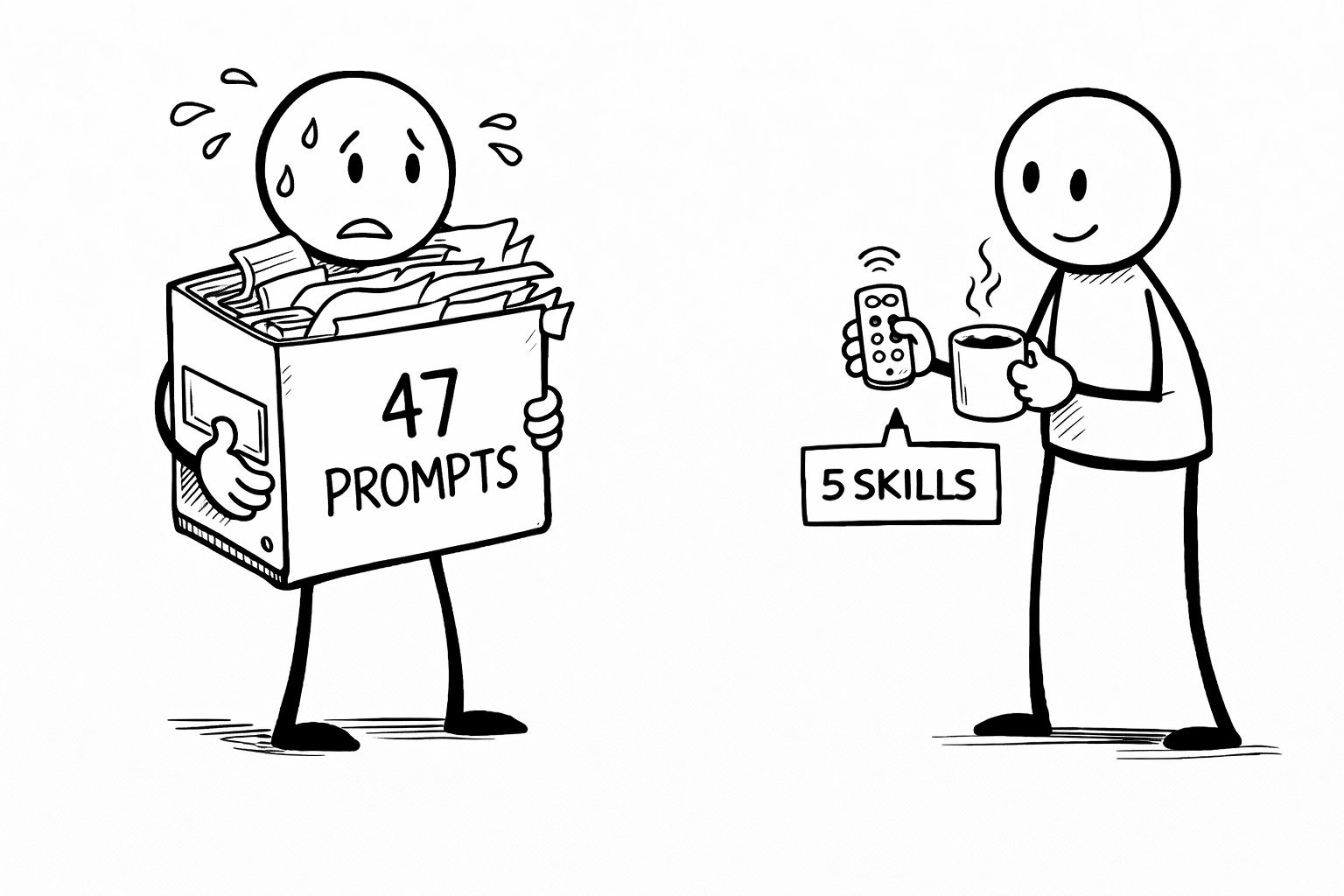
Of 34 saved prompts, I used five every day. The other 29 were forensic evidence of ambitions I’d abandoned and prompts I’d saved from Twitter threads written by people who described themselves as “prompt engineers” in their bio. (This is the same energy as recording ten voice memos a day and listening to zero of them. Capturing is not processing. Collecting prompts is not building systems.)
(I need to talk about the phrase “prompt engineer” for a second. There is a certain type of person who took a four-hour Udemy course in March 2023, added “Prompt Engineer” to their LinkedIn headline, and has been dining out on it ever since like a person who once made eye contact with a celebrity and now tells people they “know them.” Typing words into a text box is not engineering. If it were, every person who’s ever written an angry Yelp review would have a degree from MIT. I feel better now. Where were we...?)
Those five prompts are the same five you use too, if you’re publishing with AI regularly. The load-bearing walls. Everything else is decoration. So I torched the doc. Forty minutes later, I had five skills that replaced it entirely.
Here’s each one, with the exact prompt text and setup for Chrome Gemini (the new thing), Claude Projects (where my actual work lives), and Claude Code (for the system builders in the back).
Skill 1: The Headline Gauntlet
The typical approach: A prompt that says “give me 10 headline options for this topic.” It returns ten headlines. All of them qualify as headlines in the same way that a hot dog technically qualifies as a sandwich. Correct category. Zero conviction. You pick the least offensive one and call it brainstorming.
It’s not brainstorming. It’s outsourcing taste to a statistical average and then performing a choice. Like going to a restaurant, asking the waiter to pick for you, and then telling your friends you “discovered” the risotto.
What the Skill does instead: You bring the headlines. The Skill evaluates them against a fixed rubric. Generating is AI guessing at what’s good. Evaluating is AI applying YOUR standards. You need the second one on autopilot.
HEADLINE GAUNTLET

Evaluate this headline against 8 criteria. Score each 1-5.
Then generate 3 alternatives that score higher on the weakest dimensions.

1. Scroll-stop power (5 = would stop a thumb mid-doom-scroll, 1 = functionally invisible)
2. Specificity (concrete nouns, numbers, named concepts — not vague abstractions wearing a tie)
3. Open loop (creates a question the reader MUST have answered?)
4. Voice match (sounds like the author, not a TED talk intro?)
5. Length (under 65 characters for email display without truncation?)
6. Keyword signal (contains or clearly implies the target keyword?)
7. Uniqueness (could any generic AI newsletter have this exact title? If yes, score 1.)
8. Subheadline room (leaves space for a complementary preview line that adds, not repeats?)

HEADLINE TO EVALUATE: [paste headline]

OUTPUT:
- Score table (criterion | score | one-line note)
- Weakest dimension analysis (2 sentences max)
- 3 alternative headlines (specifically targeting weak scores)
- Recommended pick with reasoning
In Chrome Gemini: Run it once. Save as Skill. Forward slash to invoke. Runs against whatever page you’re on, which is useful when you’re diagnosing why someone else’s headline is working and yours isn’t.
In Claude Projects: Add to your project’s custom instructions. Say “Run the Headline Gauntlet on: [headline].” Here’s where Claude has an unfair advantage: if you’ve loaded your Voiceprint into the project (here’s how to set up that architecture), criterion 4 (voice match) actually functions. Gemini runs the gauntlet generically. Claude runs it knowing how you write. Specific patterns in, specific evaluation out. (I will get this tattooed on my forehead. The font will not be Papyrus.)
In Claude Code: Save as /skills/headline-gauntlet.md. Natural language invocation.
Skill 2: The Hook Rebuild
The typical approach: A prompt that says “make my intro more engaging and attention-grabbing.”
Eight words. And none of them tell AI what a good hook actually looks like. Telling AI to “make it more engaging” is the writing-advice version of walking into a barbershop and saying “just... make it better?” without specifying length, style, or at minimum which decade you’d like to look like you belong in. (Your real voice lives in the unpolished stuff. The polished version is already halfway to generic.) You’re not going to get YOUR hook. You’re going to get whatever the barber’s default idea of “engaging” is. And yet creators hand AI their opening paragraph with zero criteria every single day and then wonder why it comes back sounding like it was written by a committee that only communicates through corporate memos.
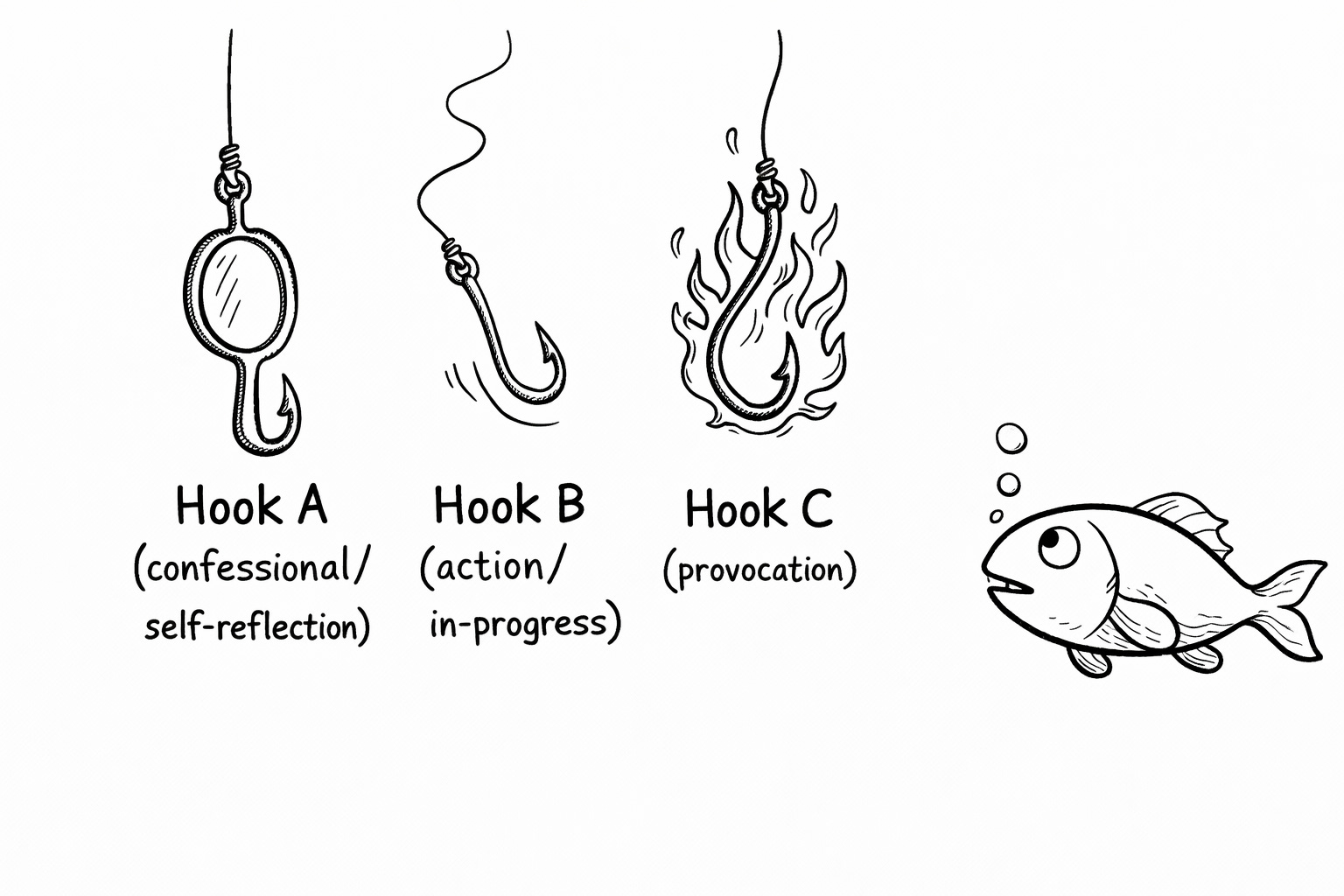
What the Skill does instead: Diagnoses the specific failure in your opening, names it, then rebuilds three ways so you pick the direction, not just the wording.
HOOK REBUILD

My opening isn't working. Diagnose why, then rebuild it 3 ways.

DIAGNOSIS (2-3 sentences): Identify the specific failure mode.
Common failures to check:
- Throat-clearing (three sentences of setup before the actual point arrives)
- Definition-leading (starting with what something IS rather than why it matters NOW)
- "Have you ever..." syndrome (lazy reader-address that signals nothing interesting follows)
- Abstraction without imagery (no concrete picture in the reader's mind by sentence two)

REBUILD OPTIONS:
A) CONFESSIONAL ENTRY — Start with a specific personal admission or failure that makes the problem visceral
B) ACTION ENTRY — Start mid-event. No setup. Reader catches up or they don't. (They will.)
C) PROVOCATION ENTRY — Start with a claim bold enough to create an open loop the reader needs closed

Each option: 2-4 sentences max. Must function as the first thing a human sees when they open their inbox at 7 AM while half-awake and pre-coffee and already considering deleting everything that doesn't immediately justify its existence.

CURRENT OPENING:
[paste opening]
Skill 3: The Notes Extractor
This is the one that saved me the most time and I’m genuinely annoyed it took me this long to build it.
I’d been writing Substack Notes from scratch every day. Not extracting micro-insights from posts I’d already published. Writing entirely new short-form content on top of my daily publishing schedule. This is the content-creation version of baking a cake, throwing it away, and then making cupcakes from scratch using entirely new ingredients. The cake was right there.
(Notes are not summaries. Summaries are book reports. Nobody restacks a book report. A Note is a standalone provocation that happens to contain an idea that also lives in a longer piece. It should have enough spice that someone who never reads the full post still hits the restack button because they feel seen.)
The typical approach: Paste your entire post and say “turn this into Notes.” Claude, bless its statistically convergent heart, hands back five-paragraph summaries that read like the back of a very boring book. (AI doesn’t know when to stop unless you tell it where the walls are.) Your skill has to be more specific than the machine’s defaults.
NOTES EXTRACTOR

I'm giving you a full newsletter post.
Extract 3-5 standalone Substack Notes from it.

RULES (non-negotiable):
- Each Note MUST work completely standalone — a reader who has never seen the post, never heard of me, and is scrolling their Notes feed at 6 AM with one eye open should understand it AND have a reaction
- Notes are micro-insights extracted from the post, NOT summaries of the post
- Each Note: 1-3 short paragraphs max, line breaks between them
- VARIETY REQUIREMENTS:
  → At least one spicy or contrarian take (the one that makes people argue in the replies)
  → At least one that ends with a genuine question (the one that makes people respond instead of just like)
  → At least one mini-framework or structure (the one that gets restacked because it's useful on its own)
- Do NOT include phrases like "Read more in my latest post" or any back-link language (I'll add that to ONE Note manually, and it won't be the best one)
- VOICE: opinionated, specific, conversational. Not a press release about my own newsletter. Not a movie trailer for my own article. Not an advertisement wearing a hoodie.

POST:
[paste full post]

OUTPUT: Notes 1-5, each separated by --- dividers
My first extraction produced three Notes I’d describe as “actually good, what the hell” and two that needed minor edits instead of full rewrites. One outperformed my previous week’s best hand-written Note. (Either a testament to the skill or an indictment of my manual Notes process. Probably both.)
Skill 4: The Repurpose Engine
The typical approach: Copy your Substack post. Paste it into a LinkedIn text box. Stare at it. Realize it’s 1,800 words and LinkedIn wants 150. Panic-edit until it’s a shadow of itself. Post it anyway. Wonder why engagement is flat.
Or worse: skip cross-posting entirely because “I don’t have time to rewrite everything for every platform.” (One article can become twenty outputs across eight platforms. If you’re only publishing it once, you’re getting 10% of the mileage out of work that already cost you the full tank of gas.)
What the Skill does instead: Takes a finished post and structurally translates it for a specific platform. Not a summary. Not a trim. A format translation that respects the constraints of the destination while keeping your fingerprints on it.
REPURPOSE ENGINE

I'm giving you a newsletter post. Translate it for [PLATFORM].

PLATFORM CONSTRAINTS:
- LinkedIn: 150-300 words. Hook must work in first line (before "see more"). End with question or CTA. No links in body (suppresses reach). Professional but not corporate — pattern interrupt energy.
- Twitter/X thread: 3-7 tweets. First tweet is the hook (must standalone). Each tweet is a complete thought. Last tweet links back. Conversational, punchy, fragment-friendly.
- Threads: Single post, 300-500 words. More casual than LinkedIn. Line breaks between paragraphs. Can include one link.
- Bluesky: Single post, under 300 characters. Distill to one spicy insight. Contrarian angle preferred.

RULES:
- This is NOT a summary. It's a structural translation.
- Preserve the author's voice, opinions, and specific examples
- Each platform version should feel native, not like a newsletter excerpt crammed into a text box
- If the post has 5 insights, pick the 1-2 that hit hardest on this specific platform
- No "I just published a post about..." framing. The repurposed version IS the content.

POST:
[paste post]

PLATFORM: [specify]

OUTPUT: Platform-ready text, formatted for copy-paste
This skill replaced the 20-minute “stare at LinkedIn and panic-edit” routine with a 2-minute invocation. I run it four times (LinkedIn, Twitter thread, Threads, Bluesky) and queue everything through Nuelink in one batch. Same post. Four platforms. Four native formats. Zero re-writing by hand.
Skill 5: The Slop Detector
I was checking for slop the old-fashioned way: publishing first, re-reading later, and experiencing a slow creeping realization around paragraph six that something was wrong but I couldn’t name it. Which is exactly how slop works. Every sentence is defensible. No sentence is memorable. Your reader finishes it and immediately overwrites it with whatever they read next, like a whiteboard that only holds one thing at a time. (Your AI is telling you exactly what you want to hear. It says “Great draft!” when what it means is “I have produced the statistical mean of all drafts and you have not complained yet.”)
And you can’t catch it yourself. Your brain auto-corrects what it expects to see, which is the most generous and most inaccurate assumption a brain can make. Meanwhile your actual readers already know when something’s off. They can’t name it, but they feel it. Their thumb keeps scrolling.)
The Skill version runs a forensic pass before you hit publish:
SLOP DETECTOR

Run a forensic slop check on this draft.
I need to know if it sounds like me or like it was assembled by a committee that communicates exclusively through interoffice memos.

CHECK THESE PATTERNS:
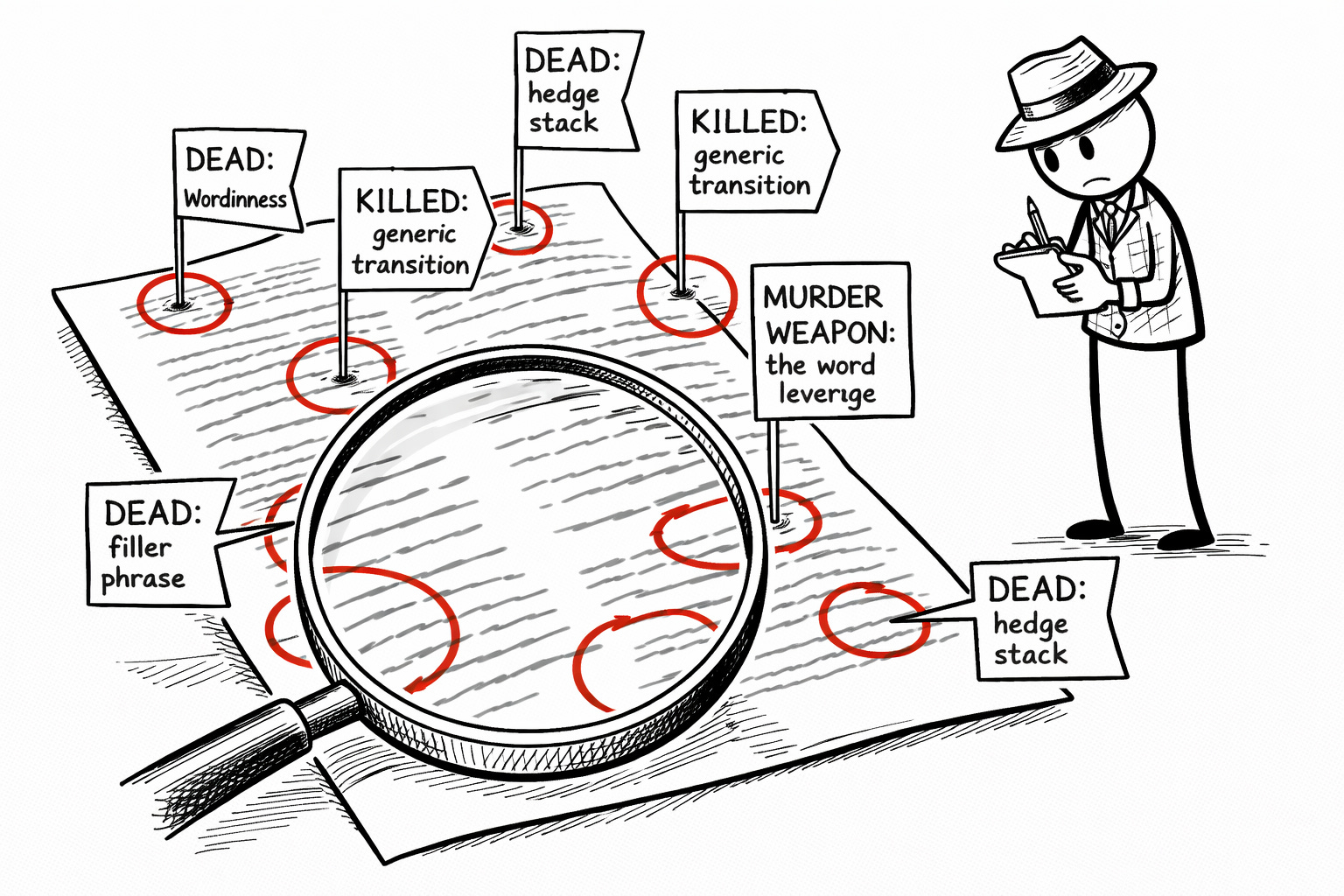
1. GENERIC TRANSITIONS — "Let's explore this," "It's worth noting," "Moving on to" — flag every single instance, I want a body count
2. HEDGE STACKING — Multiple softeners in one sentence ("might perhaps arguably maybe") — flag and suggest a version that actually commits to saying something
3. EMPTY AUTHORITY — "Studies show," "Experts agree," "Research indicates" with zero specific citations — flag (this is the written equivalent of saying "people are saying" and expecting credit for journalism)
4. LIST DEPENDENCY — More than 2 bullet-point lists in the whole piece — flag (prose carries voice, lists carry information, if the piece is all lists it has no pulse)
5. RHYTHM FLATLINE — 3+ consecutive sentences of similar word count — flag with exact counts (monotone rhythm = boredom on autopilot, quantified)
6. BANNED VOCABULARY — [paste your personal banned word list or reference your Voiceprint's banned terms]
7. PERSONALITY GAPS — Any section longer than 200 words without a parenthetical aside, joke, metaphor, self-deprecating moment, or personal reference — flag (these are the sections where the writer fell asleep and the machine took over)
8. OPENING THROAT-CLEAR — Does the piece start with context-setting, definitions, or scene-building instead of an actual point? — flag

OUTPUT:
- Overall slop score: 1-10 (1 = your own mother would not recognize this as yours, 10 = unmistakably, aggressively, almost annoyingly you)
- Line-by-line flags (quote the offending text, explain why it's flagged, suggest a specific fix)
- Top 3 changes that would move the needle most

DRAFT:
[paste draft]
(Yes. Asking AI to detect the slop patterns that AI produces is sending the fox to inventory the henhouse. But AI is spectacularly good at pattern-matching against a specific checklist. It’s bad at not producing those patterns in the first place. But once you give it a checklist of exactly what to look for? It finds every “let’s explore” with the enthusiasm of a bureaucrat who’s been given authority over parking violations.)
What Thirty-Eight Minutes Actually Bought Me
Building five skills took me thirty-eight minutes. Using them instead of the doc saved me seventeen minutes the first day. That math only gets better.
But the real change isn’t the time. It’s the attention. When the mechanical tasks have machines handling them, you stop context-switching between “creative thinking” and “clipboard management.” Your brain stays in one mode. The writing gets better because you’re not interrupting yourself every twenty minutes to go re-explain a job the machine should already know. (Butters gets longer walks now. Four pounds of chihuahua experiencing the trickle-down economics of workflow improvement. The only documented case where trickle-down actually worked.)
Google launched Skills in Chrome yesterday. Claude Code has had skills architecture for months. Custom GPTs exist. Every major platform is converging on the same realization: one-shot prompting is on borrowed time. The era where you type fresh instructions into a text box every time you need something done, as if you’re introducing yourself to a colleague who has amnesia and also no filing cabinet? Closing.
Skills are Voiceprints for tasks instead of voice. Same principle. Document your patterns precisely. Encode them. Let AI follow the map instead of guessing. Bad content is actively driving out good, and the creators who build reusable systems that maintain quality at speed will be the ones still standing when the slop tide recedes.
(Not everything needs AI, by the way. Skills automate the evaluation and extraction. The writing itself? The voice work? The choosing of what to say and why anyone should care? That’s yours. That stays manual. That’s the point.)
Your prompt library was a good first instinct and a terrible final destination. Torch the doc. Build five skills. Let the machines remember the instructions so you can focus on being the one thing no machine can replicate: a person who actually gives a damn about what they publish.
🧉 What’s the dumbest thing in your current AI workflow that you keep doing because “it works fine”? I’ll go first: I was copy-pasting the same five prompts from a Google Doc like a medieval scribe with a WiFi connection. For months. While writing a newsletter about AI productivity. Your turn.
Crafted with love (and AI),
Nick “Former Clipboard Employee of the Month” Quick

Got it. Voiceprint pitch first (PS), then the share/subscribe engagement (PPS). The subscribe button lives natively below anyway so PPS just needs to handle the forward ask and the daily publishing mention. Here’s the fix:
PS... Those five skill prompts work out of the box, but they work significantly better when the evaluation criteria come from your actual documented voice patterns instead of generic defaults. “Good headline” means something different for every writer. So does “slop.” The Quick-Start Guide walks you through building your own criteria from your actual published work. Grab it free.
PPS... This newsletter shows up in your inbox every single day (yes, daily, yes, on purpose, no, I will not apologize for having things to say) with new dispatches from the construction site of a one-person AI publishing operation. If you’re here and you’re not subscribed, fix that. It’s free. And if someone came to mind while you were reading this (you know exactly who), forward it to them before you talk yourself out of it. It’s not a newsletter. It’s an intervention. They’ll be annoyed first. Then grateful. That’s the correct order.
I’m embarrassed by all my prompt libraries …used never
Guilty! I throw myself on the mercy of Nick's Court (not to be confused with Night Court).