
Opus 4.7 Takes Your Prompts Literally. Here's What That Means for Your Voice.
Anthropic's latest model released today and it reads instructions more precisely than older versions did. Three prompts to re-test this week, and why sloppy prompts just got more obvious.

I spent part of this morning reading the Opus 4.7 release notes like a person with nothing better to do. Most of it doesn’t matter to you. Benchmarks on software engineering. Terminal bench scores. How well it writes Rust.
(I don’t write Rust. My chihuahua doesn’t write Rust. Statistically, you don’t write Rust either.)
One thing in there does matter, though. And it’s buried under the developer stuff, which is why most creators are going to miss it.
Here’s the line from Anthropic’s own release notes:
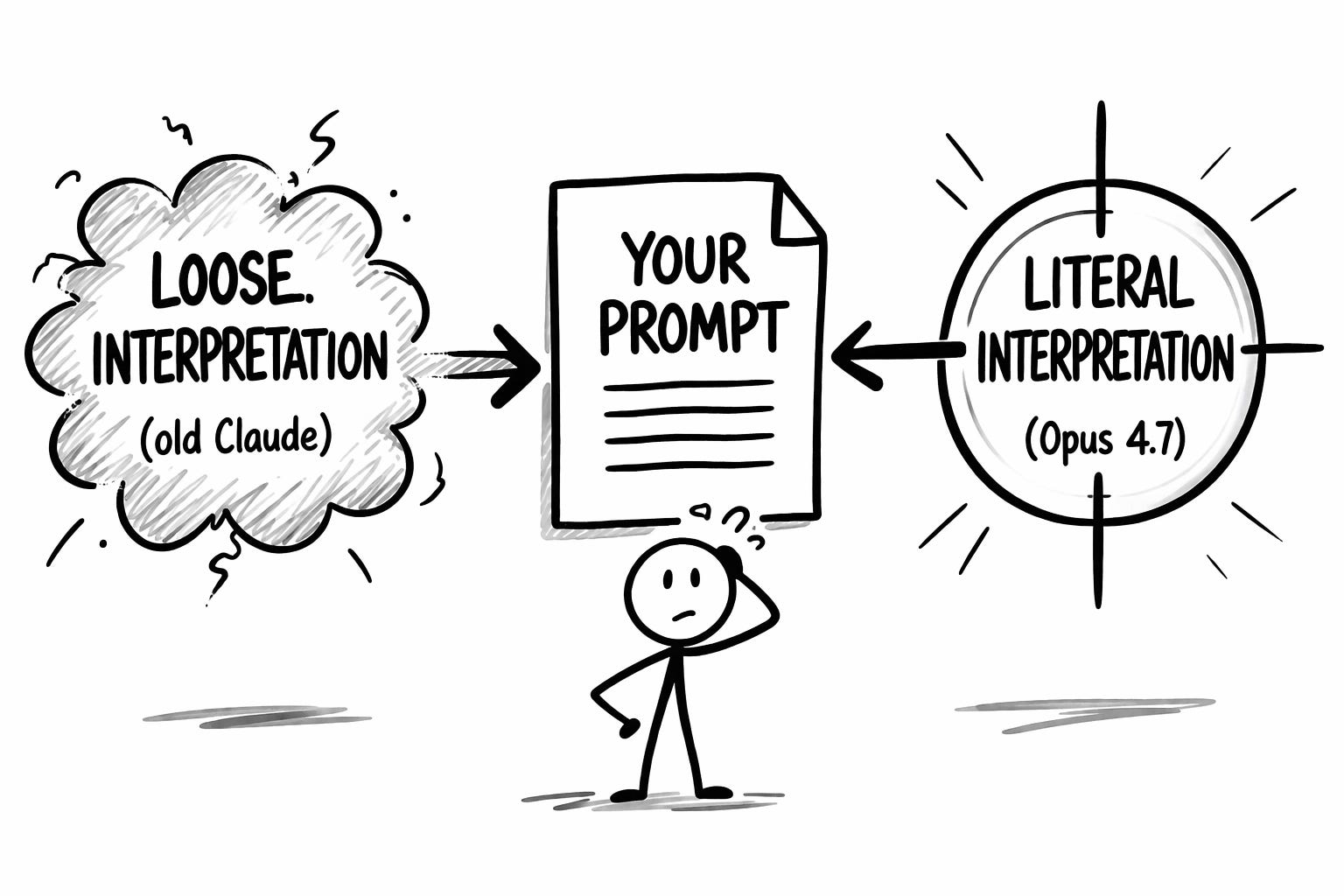
Opus 4.7 is substantially better at following instructions... prompts written for earlier models can sometimes now produce unexpected results: where previous models interpreted instructions loosely or skipped parts entirely, Opus 4.7 takes the instructions literally.
Translation: every custom prompt you’ve written, every system prompt in your Claude Projects, every Voiceprint doc you’ve loaded in, every “act as my editor and do X” setup you have running right now, might behave slightly differently starting today.
Not broken. Different.
Which, if you care about voice, is a distinction worth a few minutes of your week.
What “takes instructions literally” actually means
Older Claude models were polite interpreters. You’d write “keep the tone conversational” and the model would do its best guess of what you meant, filling in gaps with statistical averages of what “conversational” usually looks like. Forgiving. Flexible. Also the reason Claude sometimes sounded like someone doing a bad impression of you at a party.
The new model does what you actually ask. Which is great if what you asked was precise. Less great if what you asked was vague enough to leave room for interpretation.
A prompt like “write in a conversational tone” now gets treated closer to what’s on the page, not what you wish was on the page. If your instructions were sloppy, the output gets sloppier. If your instructions were sharp, the output gets sharper.
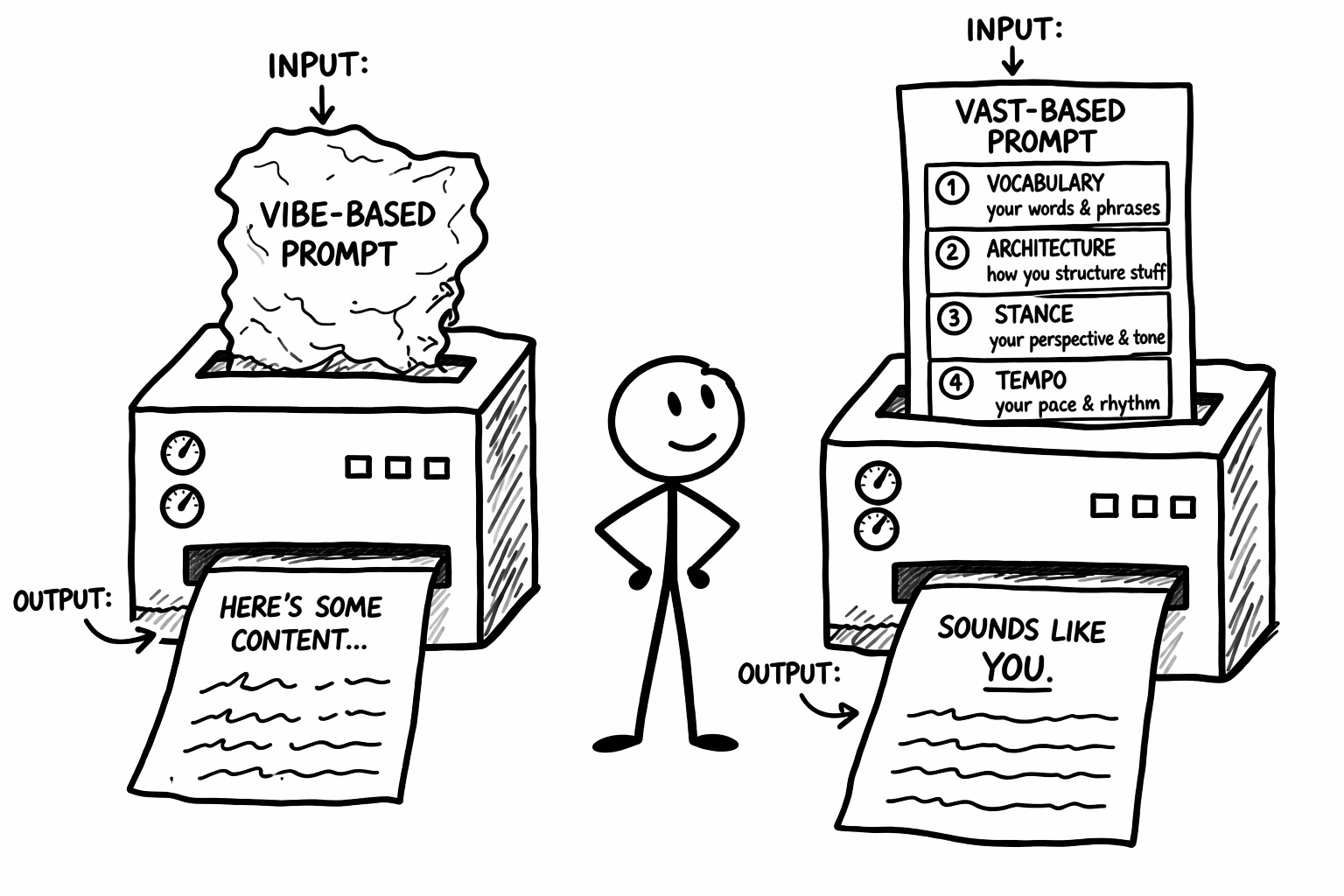
Vibes don’t survive contact with a model that reads literally. VAST exists for exactly this moment. Vocabulary, Architecture, Stance, Tempo. Four layers that turn “be conversational” from a feeling into an instruction. (I’ve written about what happens when voice setups drift through model updates if you want to go deeper.)
Three things to re-test this week
Before you blow up your whole setup, check these three. In order.
1. Your Voiceprint.
Wherever yours lives (pasted into Project instructions, uploaded as a file in Project knowledge, or loaded into fresh chats), open it and read it like you’ve never seen it. Then test it: start a fresh session, load the Voiceprint, ask Claude to write a 300-word piece on a topic you’ve covered before. Read the output out loud.
What to do with the result:
If it sounds like you: Move to step two.
If it sounds close but off: Find the first sentence that sounds wrong. Identify which VAST layer broke (Vocabulary, Architecture, Stance, or Tempo). Add more specific patterns to that layer. Descriptors like “I use sentence fragments for emphasis” now need to become examples: “I use fragments after a claim lands, like this. See?” Opus 4.7 wants the example, not the description.
If it sounds generic: Your Voiceprint was running on model goodwill. Rebuild the Vocabulary and Stance layers with real examples pulled from your published work.
2. Your Project custom instructions.
Open the Claude Project you use for your publication. Click into the custom instructions field (the text box where you’ve written direction for this specific Project). Read it like you’ve never seen it before. Look for anywhere you wrote a feeling instead of a rule.
What to do with the result:
“Keep the tone conversational” becomes “Use contractions. Write in sentences that sound like spoken English. Avoid formal transitions like ‘furthermore’ or ‘in addition.’”
“Make it engaging” becomes “Open with tension, a confession, or a claim. Do not open with context-setting or definitions.”
“Sound like me” becomes “Reference the Voiceprint. Follow the VAST patterns documented there. When in doubt, match the rhythm of the example paragraphs.”
Rewrite any vibe into a rule. Save. Generate one piece of content. Compare to what the same Project produced last week.
3. Your account-level custom instructions.
Open Claude, go to Settings, then Custom Instructions (or Preferences). For most people this hasn’t been touched since you set it up a year or so ago. It’s where hidden drift creeps in because these instructions apply silently to every conversation.
What to do with the result:
Delete anything vague. “Be direct” and “be concise” don’t help a literal model. They take up space.
Keep anything specific. “Never use em dashes” is a rule. It stays.
Add one rule you’ve been manually correcting for weeks. If you keep fixing the same thing in every draft, that fix belongs in the settings, not in your editing hands.
The order matters
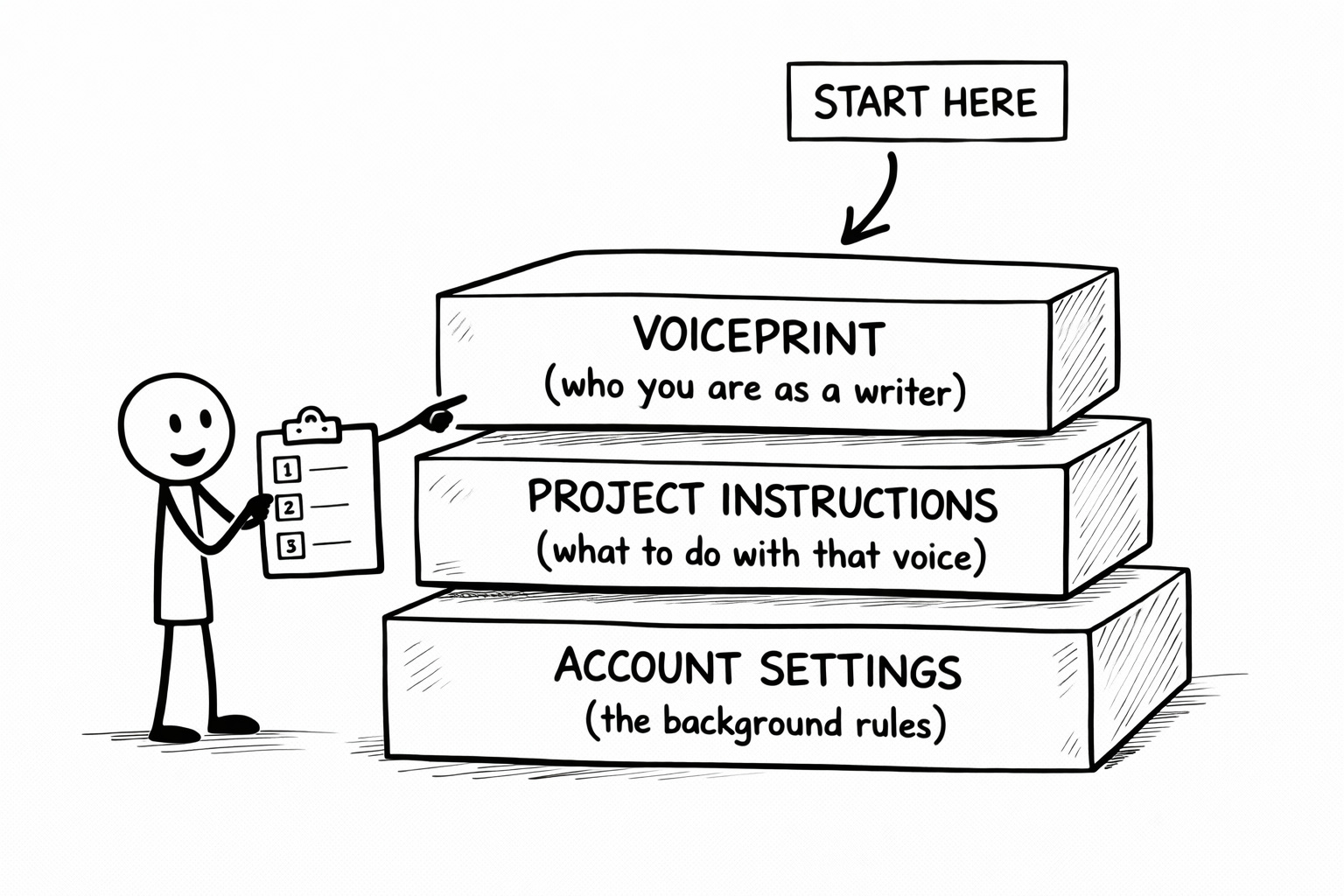
Voiceprint first (the content of your voice). Project instructions second (how the voice gets applied to a specific publication). Account-level instructions third (the background rules that affect everything).
If you fix a problem at the Voiceprint level, the other two layers might not need changes. Start from the bottom layer and you might rewrite things that weren’t broken.
Thirty minutes. Three layers. In order.
Then get back to publishing.
The part you can skip
The impulse, when a new model drops, is to blow everything up and rebuild from scratch. Resist it. Better models don’t usually require new stacks. They reward the scaffolding you already have, if that scaffolding was built well.
If your Voiceprint was precise, today is a small upgrade.
If your Voiceprint was vague, today is a diagnostic.
Either way, the work this week is the same: test three layers, fix what drifted, leave alone what didn’t. Thirty minutes, max.
Then get back to publishing.
Better models make better voices louder. They also make lazy instructions more obvious. Both of those things are good news, if you’re paying attention.
🧉 Does Opus 4.7 feel like a real step up, or does every model update start to feel like deja vu at this point? I’m genuinely curious where you land.
Crafted with love (and AI),
Nick "Also Testing My Voiceprint Today" Quick

PS... If step one (testing your Voiceprint) sent you into a small spiral, the Voiceprint Quick-Start Guide is where to start. It walks through building instructions precise enough to survive model updates.
PPS... A like or restack on this one genuinely helps. Not in a “the algorithm demands sacrifices” way. In a “the next creator who’s about to waste an afternoon rewriting the wrong thing needs to see this” way.
Great piece, Nick!
I notiecd this in the release notes too! The shift from "interpreting what you meant" to "doing exactly what you said" will explain a lot of the weird outputs people will start seeing. It’s not that anything’s broken, it’s just exposing how vague most prompts are when you really look at them. The VAST breakdown makes sense as a way of tightening that up without overhauling everything, especially if you’ve built up a decent voice already. Definitely one of those small changes that quietly has a bigger impact than people realise.
Oh and, can I ask - what do you use to produce your images within the article, please?