
Give Your OpenClaw Agent a Damn Job
The three OpenClaw builds that survived my bullshit filter (with roadmaps).

Your AI agent is that Vitamix A3500 sitting on your counter. The one you bought at 2 AM after watching some impossibly healthy fitness influencer on YouTube make cauliflower soup AND a frozen margarita in the same appliance. You unboxed it with the reverence of a minor religious artifact, made exactly one green smoothie that tasted like a freshly mowed lawn with good intentions, and haven’t touched it since.
That was November. It’s March. The Vitamix still has its original blade guard on. You reach past it daily for the $12 hand blender you’ve owned since college.
Most creators install OpenClaw (or any AI agent), run a few test prompts, feel briefly like they’ve unlocked the future, and then go right back to doing everything manually. The agent collects digital dust. The creator collects cortisol. And somewhere in the back of your tech stack, an expensive machine is quietly developing strong opinions about your follow-through.
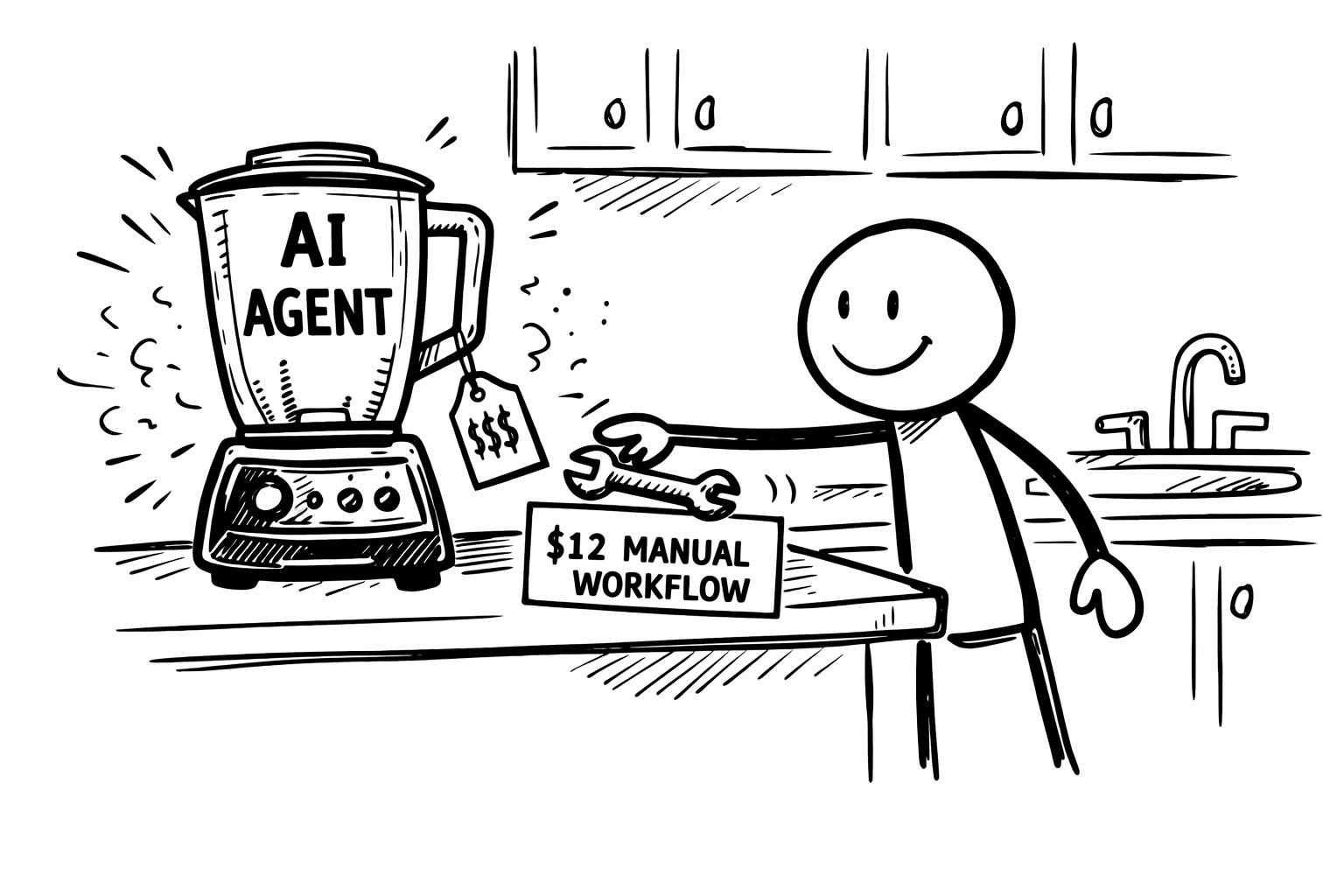
The problem isn’t the tool. The problem is that nobody knows which builds are actually worth the setup time and which ones are impressive demos you’ll run once, screenshot for LinkedIn, and never touch again. (I’ve built about a dozen OpenClaw workflows. Three of them stuck. The rest were impressive for exactly one afternoon.)
I’ve been building with OpenClaw for just over a month now. Running it on my own publishing operation. Breaking things enthusiastically and often. And three builds cleared the only filter that matters: did I actually keep using it after the novelty wore off?
Here are those three. Roadmaps short enough to follow. Including the one that made me genuinely uncomfortable.
1. Trending Content Alerts (Or: How to Stop Being the Last Person at the Party)
You write good commentary. Genuinely. Your takes have teeth.
You publish them three days after the conversation peaked.
Which means your brilliant analysis arrives with the same energy as someone explaining a meme to their parents. Technically correct. Socially devastating. The window closed while you were adjusting your subheadings and wondering whether “furthermore” was too formal. (It was. It always is.)
The opportunity every creator misses isn’t the take. It’s the timing. A hot take published 48 hours late is just a lukewarm observation wearing a confident headline and hoping nobody checks the timestamp. Nobody’s restacking that. Nobody’s sending it to a friend with “YOU NEED TO READ THIS.” The conversation moved on. You’re responding to a thread that’s already been screenshotted, dunked on, and forgotten.
This build fixes the timing problem.
Hook OpenClaw into the X, Reddit, and YouTube APIs. Set it to spin up a sub-agent every hour, scanning for trending content in your specific niche. Route the best results to Discord (or Telegram, or wherever you actually check notifications without first navigating through 14 open tabs and the existential weight of your unread email count).
The roadmap:
Define 3-5 topic clusters for monitoring. Not “AI” broadly. Not “content creation” like you’re trying to index the entire creator economy with a butterfly net. Your niche. Your lanes. The conversations where your perspective actually adds something that isn’t just nodding along with a slightly different vocabulary.
Connect your API keys. Configure the hourly scan. Set up the alert channel.
Most alerts, you’ll ignore. That’s not waste. That’s taste. The entire skill is knowing which ones to leave alone. (Especially at first, when the answer is almost all of them.) But the ones that earn a reaction? You’re in the conversation while it’s still happening instead of composing a response nobody asked for two days later.
Getting there takes tuning. And the tuning matters more than the setup, because the first week will be aggressively noisy. (Every monitoring system starts like you’re trying to take a sip from a fire hose. The value comes from tightening the nozzle, week by week, until what gets through is actually worth the interruption. Most people quit during the fire hose phase. Don’t be most people.)
The difference between “timely commentary” and “late homework” is about 36 hours. This build buys you those hours back.
2. The Overnight Employee (Or: The Build That Made Me Question My Own Advice)
This is the one that made me uncomfortable. Which is precisely why I’m including it. (Nothing worth discussing ever made everyone in the room feel relaxed. Comfort is just consensus with better lighting.)
Schedule a cron job. OpenClaw triggers while you sleep. The prompt tells it to review your business goals, autonomously figure out one task that moves you forward, and execute it before your alarm goes off the next morning.
You open your laptop to a completed task you didn’t assign.
Let that sit for a second.
(I know. Part of me wanted to build this immediately. Feverishly. With the kind of enthusiasm typically reserved for people who just discovered compound interest. The other part of me heard a quiet internal alarm that sounded a lot like “this is how unsupervised interns burn entire departments down while genuinely believing they’re being helpful.”)
The seductive pitch is real. Every overwhelmed solo creator hears “wake up to a completed task” and their brain short-circuits with want. It’s like someone telling you that you can eat dessert first and it’s actually healthier that way. Of course you want to believe it. The wanting is the whole trap.
And the build works. Technically, it does exactly what it promises. The agent reviews your goals. Picks a task. Executes it. You wake up to evidence of progress you didn’t have to produce.
The question (and it’s a question worth actually sitting with instead of speed-running past on your way to implementation) is where “proactive collaboration” ends and “autonomous execution without editorial judgment” begins. That line is blurrier than anyone selling AI automation wants to admit. And it moves depending on what you’ve given the agent permission to touch.
The roadmap:
Write your business goals into a document OpenClaw can reference. Be specific. Uncomfortably specific. Vague goals produce vague overnight tasks, and nobody (truly, nobody) wants to wake up to discover an AI agent “redesigned your landing page” because it seemed like a priority while you were unconscious and unable to object. (Ask me how I know this. Actually, don't. I had to explain to a language model at 7 AM why my homepage didn't need a testimonials section with reviews it totally invented out of thin air.)
Set the cron job for your preferred overnight window.
Scope the permissions tightly. What it can touch. What it absolutely cannot. Write this down like you’re drafting a prenup with someone you love but don’t entirely trust with your checking account yet. Because that’s essentially what you’re doing, except the checking account is your entire content operation and the “someone” is a language model running unsupervised at 3 AM.
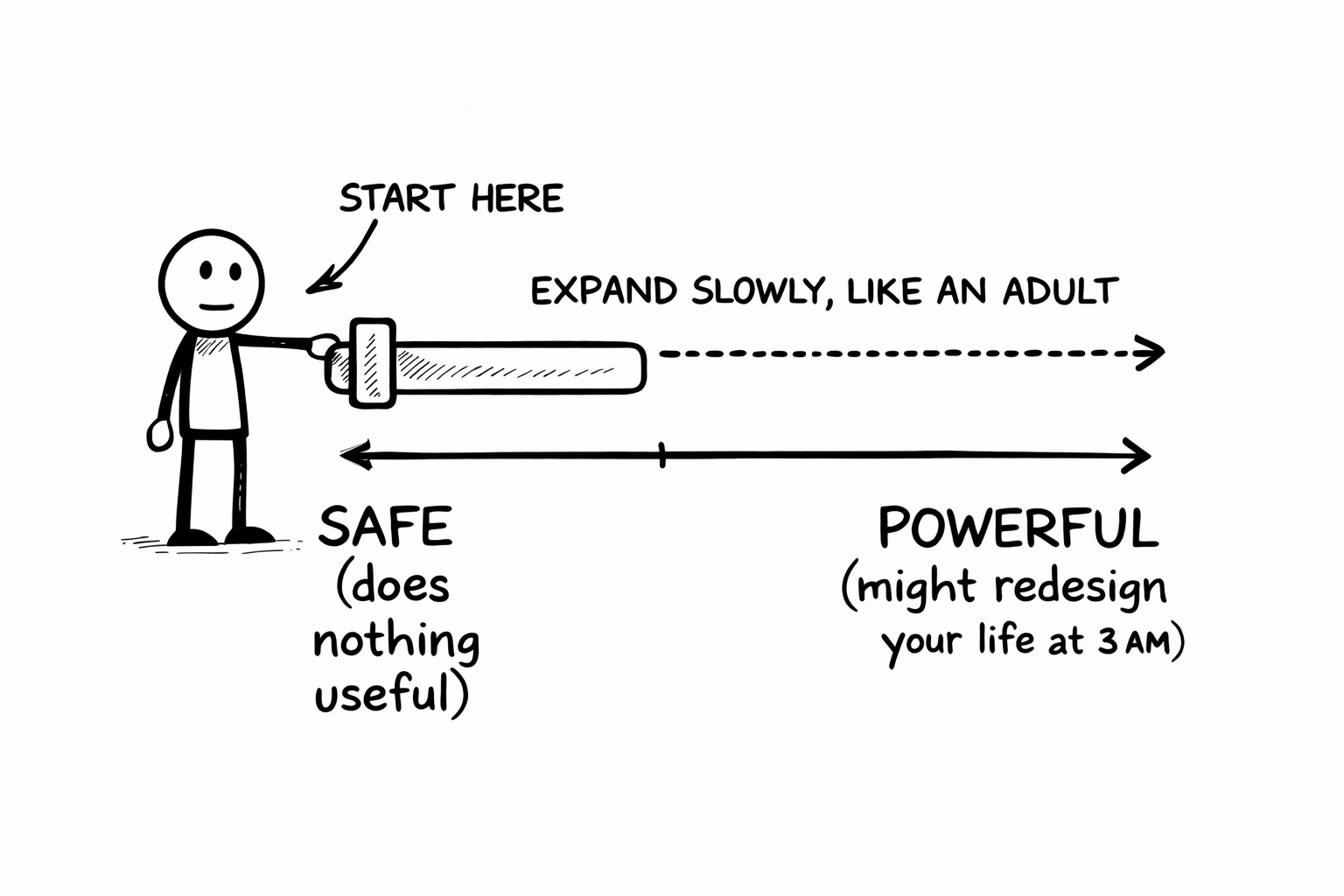
Review every morning. Non-negotiable. This is not optional. This is not “check it when you get around to it.” This is the human checkpoint that separates “clever automation” from “expensive lesson in why unsupervised write access to your business is a terrible idea dressed up as efficiency.”
The creators who use this well will build guardrails first and expand permissions slowly, like adults. The ones who don’t will learn something valuable about trust, boundaries, and the creative interpretation skills of an AI agent that was told to “grow the business” without further instructions.
Both outcomes are educational. Only one involves keeping your landing page intact.
3. Autonomous Subscriber Welcome & CRM Agent (Or: Scaling the Part You Can’t Afford to Skip)
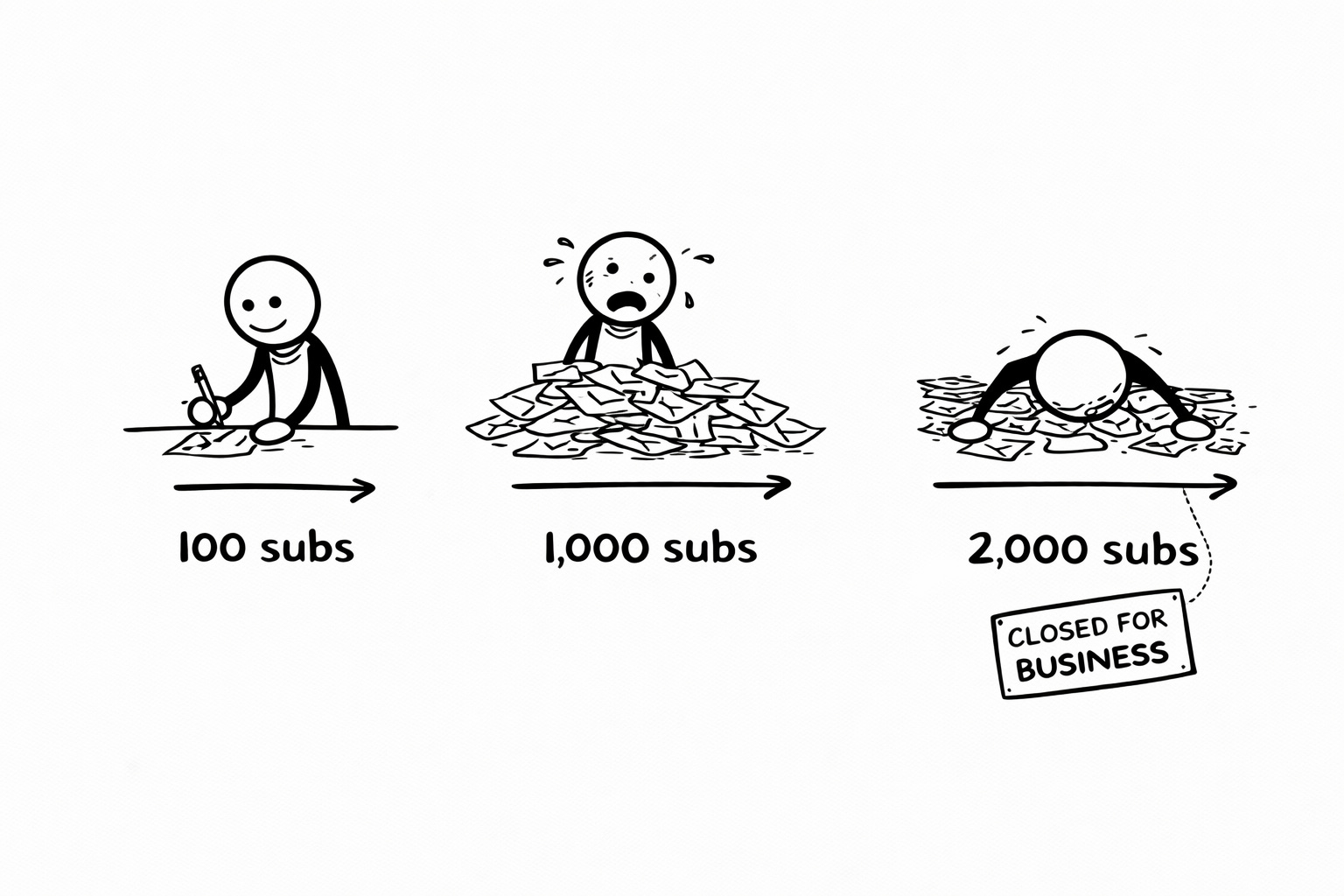
At 100 subscribers, writing personalized welcome DMs is charming. A personal touch. Evidence that you’re the kind of creator who cares.
At 1,000, it’s a second job. An unpaid one, performed in the margins of your day, between publishing and pretending you have a social media strategy.
At 2,000, you just stop doing it. Full stop. The DM tab becomes a graveyard of good intentions. And that’s the exact moment when the personal touch matters most, because you’re growing fast enough that the new people showing up have no idea who you are. They signed up for something. They’re not sure what. And your silence in the first 48 hours is telling them “I don’t actually care that you’re here.”
(Which isn’t true. You care enormously. You’re just running a content treadmill that doesn’t have a pause button. Publishing, distributing, engaging, promoting. The welcome DMs are the thing that falls off the back while you’re trying not to trip.)
This build keeps the relationship-building alive without requiring you to personally type “What are you working on?” 60 times a week while maintaining the fiction that each one is spontaneous.
Connect OpenClaw to your newsletter platform and CRM via API. Every new subscriber triggers a workflow: the agent logs them, categorizes them by signup source, pulls their website, scans their socials, reads what they’ve been publishing, and drafts a welcome message informed by all of it. The kind of message you’d write if you had fifteen minutes per subscriber instead of fifteen seconds.
The key word (you absolutely knew this was coming if you’ve read anything I’ve ever published) is drafts.
Not sends. Drafts.
(Quick Substack note: there’s no API for this. The workaround is email filters that auto-forward subscriber notifications to OpenClaw’s dedicated email address. Give OpenClaw its own email. Not yours. Never yours. When it receives the notification, it triggers the workflow. Same result, slightly more duct tape in the wiring.)
The roadmap:
Define your categorization rules. Where did they sign up? Which lead magnet? Organic discovery or referred by someone? This context is what makes the welcome feel personal instead of template-flavored. And people can smell templates. They’ve been marinating in them for years. Their template-detection radar is military-grade at this point.
Write 3-4 welcome message templates the agent can personalize from. Not one generic message with a [FIRST_NAME] field and a prayer. Multiple starting points based on subscriber type. Someone who found you through a specific post gets a different welcome than someone who downloaded a lead magnet. Because they should. Because they arrived through different doors and pretending otherwise is the kind of laziness that reads as “I have a system and you’re in it.”
Route drafts to your review queue. You approve and send. The agent doesn’t. Your fingerprints stay on the relationship. The agent handled the scaffolding (the logging, the categorizing, the initial drafting) so you could spend your 15 minutes on the part that actually matters: making a new subscriber feel like they showed up somewhere worth being.
That time you just reclaimed? It goes back to the writing that brought them to you in the first place. Which is, if we’re being precise about it, the only thing in your entire operation that actually can’t be delegated.
One more thing…
There’s a fourth build I evaluated that connects OpenClaw directly to your knowledge management system. Nightly scans. Automatic concept linking across everything you’ve written and saved. Content drafts generated from newly connected ideas, audited against your documented voice patterns so they already sound like you before you’ve touched them.
I tested it. It works. And it raises questions interesting enough that cramming it into this post would be doing it a disservice.
That one gets its own email. It’s coming.
(The implications are either exciting or terrifying depending on how much you trust your own taste documentation. I’m personally hovering at “excited but sleeping with one eye open.”)
🧉 What’s your AI agent actually doing for you right now? Running real workflows, collecting dust, or sitting in that purgatory between “installed” and “useful” where most tools quietly expire? Hit reply and tell me which of these three builds would solve your biggest operational headache. I’m genuinely curious which bottleneck is eating the most of your time.
And if you want me to build out the full setup guides (system prompts, infrastructure diagrams, the whole engine), say so. I’ll make them if enough of you ask. I am, at my core, a simple man who responds to demand signals.
Crafted with love (and AI),
Nick “Cron Job Whisperer” Quick
PS... If you want to build AI systems that actually sound like you (instead of a LinkedIn influencer who recently discovered Buddhism and wants everyone to know about it), the Voiceprint Quick-Start Guide is free and it takes twenty minutes to put into play:
PPS... Like. Restack. Subscribe. Tell a friend. I don’t do the begging thing. But I will say this: the posts that get engagement are the posts that get sequels. You want the full setup guides? The algorithm needs to see you raise your hand.
Love this framing — “give the agent a real job” is exactly where most OpenClaw setups either become useful or become noise. One thing that helped us: define a single measurable output per agent role (what artifact it must produce each run) before adding more tools. It makes reliability and handoffs much easier to debug. We’ve been publishing practical OpenClaw execution breakdowns with concrete run artifacts at https://substack.com/@givinglab if it’s useful for your next roadmap iteration.